-
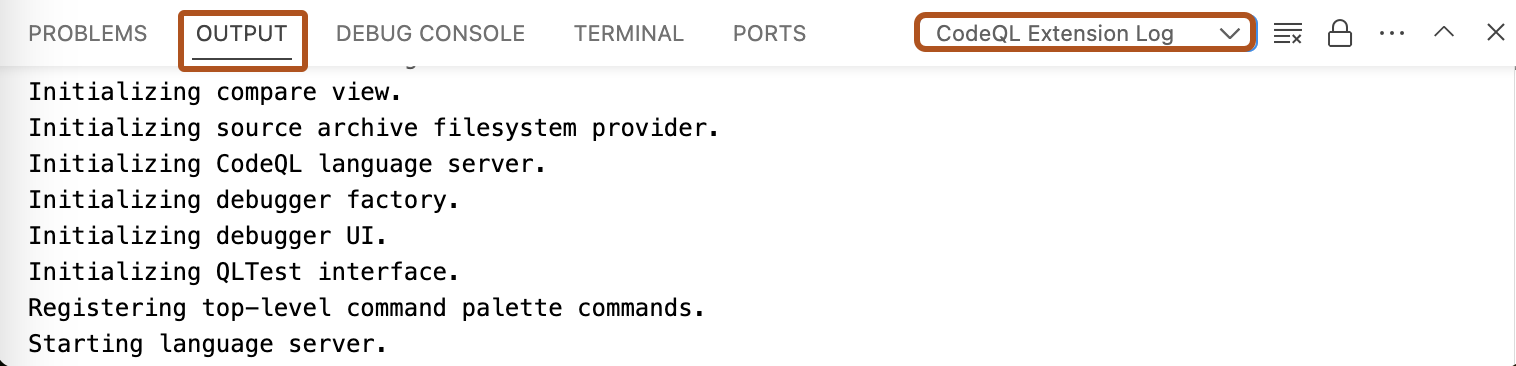
In Visual Studio Code, open the "Output" window.
-
Use the dropdown to select the log view you need. For example, "CodeQL Extension Log".
이 버전의 GitHub Enterprise Server는 다음 날짜에 중단됩니다. 2026-04-09. 중요한 보안 문제에 대해서도 패치 릴리스가 이루어지지 않습니다. 더 뛰어난 성능, 향상된 보안, 새로운 기능을 위해 최신 버전의 GitHub Enterprise Server로 업그레이드합니다. 업그레이드에 대한 도움말은 GitHub Enterprise 지원에 문의하세요.
Accessing logs for CodeQL in Visual Studio Code
If you need to troubleshoot problems with CodeQL for Visual Studio Code, there are several logs you can access.
