-
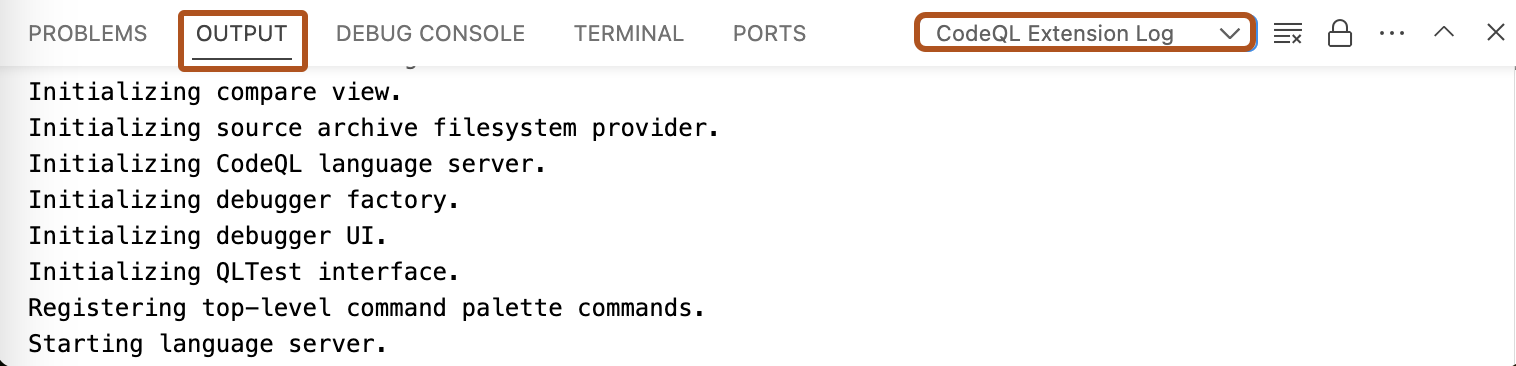
In Visual Studio Code, open the "Output" window.
-
Use the dropdown to select the log view you need. For example, "CodeQL Extension Log".
Esta versión de GitHub Enterprise Server se discontinuará el 2026-04-09. No se realizarán lanzamientos de patch, ni siquiera para problemas de seguridad críticos. Para obtener rendimiento mejorado, seguridad mejorada y nuevas características, actualice a la versión más reciente de GitHub Enterprise Server. Para obtener ayuda con la actualización, póngase en contacto con el soporte técnico de GitHub Enterprise.
Accessing logs for CodeQL in Visual Studio Code
If you need to troubleshoot problems with CodeQL for Visual Studio Code, there are several logs you can access.
