
このバージョンの GitHub Enterprise サーバーはこの日付をもって終了となります: 2026-04-09. 重大なセキュリティの問題に対してであっても、パッチリリースは作成されません。 パフォーマンスの向上、セキュリティの向上、新機能の向上を図るために、最新バージョンの GitHub Enterprise サーバーにアップグレードしてください。 アップグレードに関するヘルプについては、GitHub Enterprise サポートにお問い合わせください

GitHub Desktop でリポジトリのリモート URL を変更する

取り扱ってるリポジトリに対してのリモートのURLはGitHub Desktopで変更できます。 リポジトリの名前や、リポジトリを所有するユーザ名、またはOrganizationが変更された場合に役立ちます。

Platform navigation

  1. In the "GitHub Desktop" menu bar, select Repository and click Repository Settings....
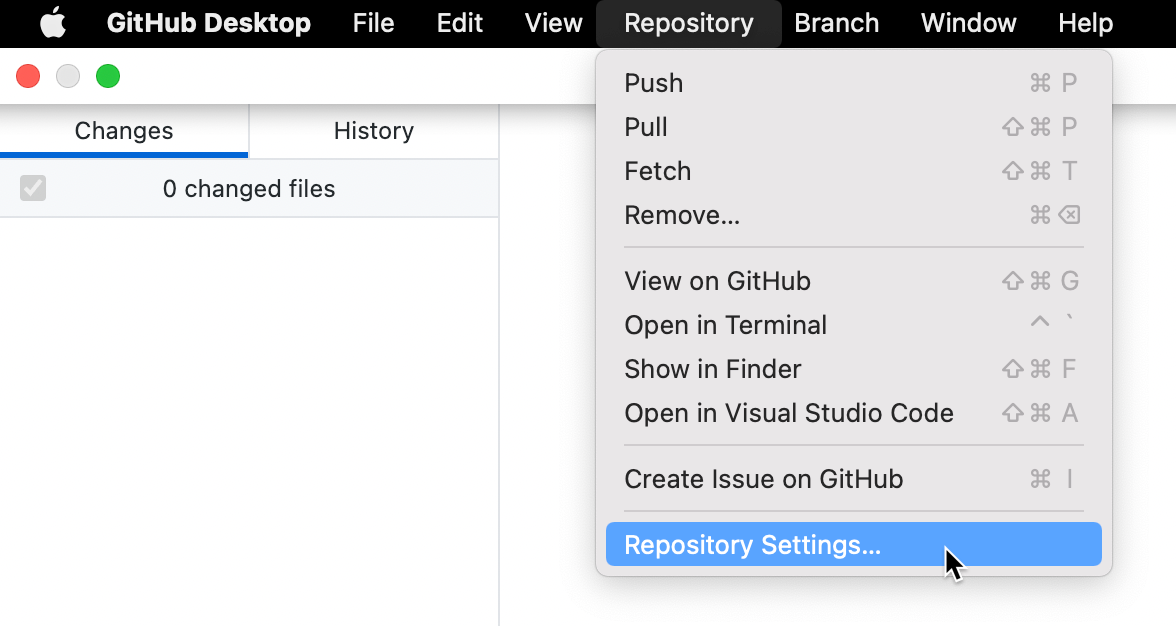
    Screenshot of the menu bar on a Mac. In the open "Repository" dropdown menu, a cursor hovers over "Repository Settings", highlighted in blue.

  2. On the Remote pane, under "Primary remote repository", type the desired URL.

  3. Click Save.

  1. In the Repository menu, click Repository settings....
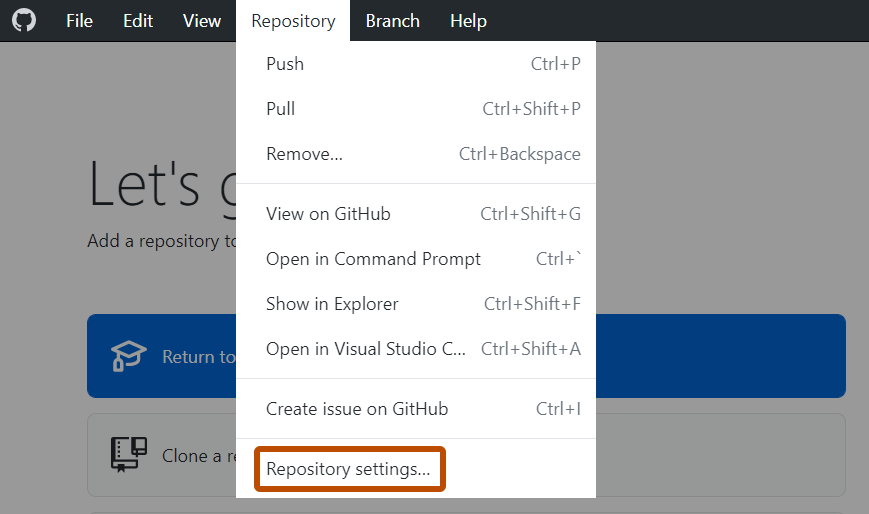
    Screenshot of the "GitHub Desktop" menu bar on Windows. In the open "Repository" dropdown menu, "Repository Settings" is outlined in orange.

  2. On the Remote pane, under "Primary remote repository", type the desired URL.

  3. Click Save.