Creating a merge protection ruleset for a repository
-
在 GitHub 上,导航到存储库的主页面。
-
在仓库名称下,单击 “Settings”****。 如果看不到“设置”选项卡,请选择“”下拉菜单,然后单击“设置”。

-
在左侧边栏的“代码和自动化”下,单击“规则”,然后单击“规则集” 。
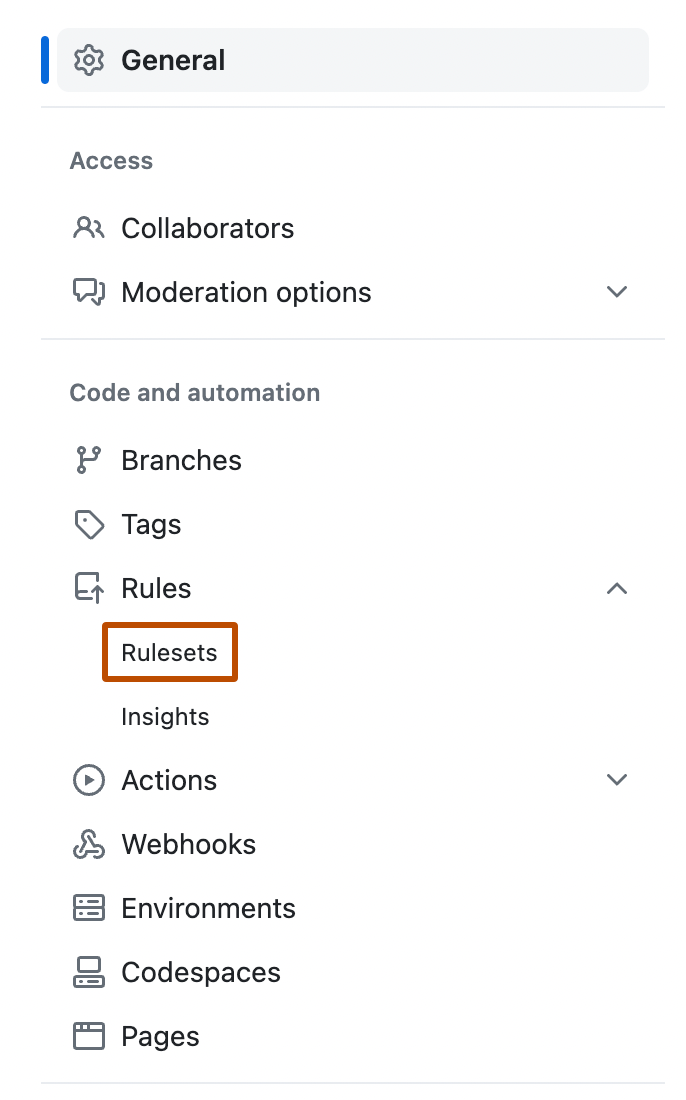
-
Click New ruleset.
-
To create a ruleset targeting branches, click New branch ruleset.
-
在“规则集名称”下,键入规则集的名称。
-
(可选)若要更改默认强制实施状态,请单击 “Disabled”,并选择强制实施状态****。
-
在“分支保护”下,选择“要求 code scanning 结果。
-
在“Required tools and alert thresholds”下,单击 “Add tool”****,然后从下拉列表中选择 code scanning 工具。 例如,“CodeQL”。
-
code scanning 工具的名称旁边:
- 单击“警报”,然后选择“无”、“错误”、“错误和警告”或“全部”。
- 单击“安全警报”,然后选择“无”、“严重”、“高或更高”、“中”或“全部”。
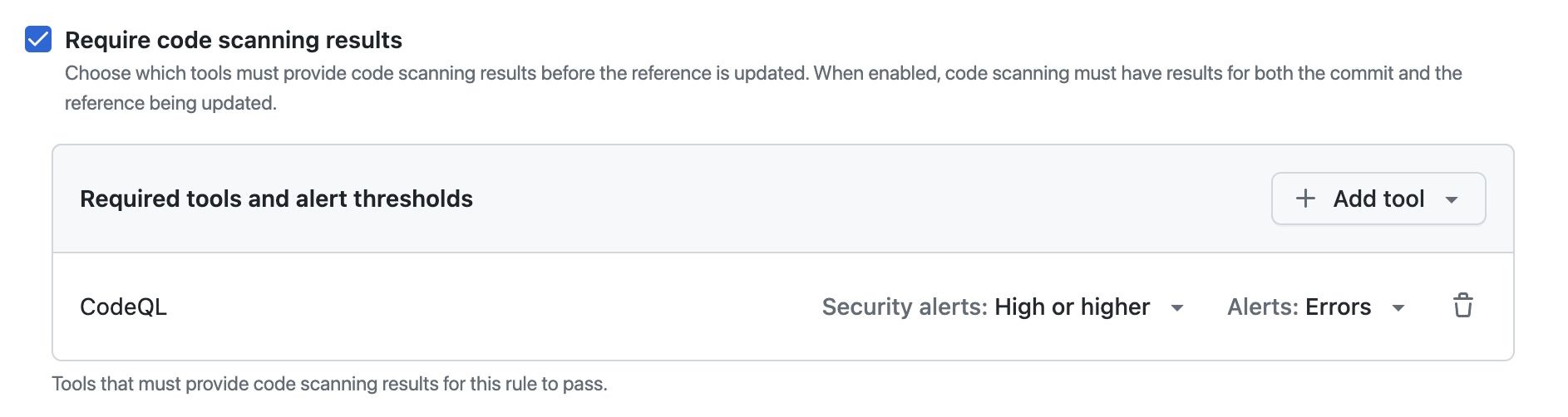


有关警报严重性和安全严重性级别的详细信息,请参阅“关于代码扫描警报”。
For more information about managing rulesets in a repository, see 管理存储库的规则集.
Creating a merge protection ruleset with the REST API
You can use the REST API to create a ruleset with the code_scanning rule, which allows you to define specific tools and set alert thresholds. For more information, see 规则的 REST API 终结点.